Miscellaneous

Because I didn’t want my menu list to go on forever, I put everything which didn’t fit elsewhere into this page. It goes on a bit, so please use the links.
Coding Engineering Masters and PhD Students Adobe Apps Electronics
Coding
I have been writing programs since the early days of computing. Starting on a Digital Equipment PDP-8 minicomputer while studying engineering, I taught myself BASIC. Although it occupied a rack of equipment and weigh about 100 kilograms, the limits of the machine were obvious when a page of code filled the machine’s memory. Also, programs had to be stored on punched paper tape, which was not exactly convenient.
Later on in my engineering degree course I used a mainframe computer, both from a teletype timeshare terminal and also with decks of punched cards for more complex batch jobs. My thesis project was to design and build a high frequency downconverter to allow the study of the hydrogen-line (1.4GHz or 21cm) emissions from the Sun. The design used stripline filters made from double-sided printed circuit boards (see below).
Complex transmission line theory calculations using hyperbolic functions for each filter could take a number of iterations, once any bugs were fixed. On modern PCs, this would be simple and fast. On the batch punched card system, you got one chance every four hours to get it right. If a run produced an error, or did not generate a filter with the right characteristics, you had four hours to analyse the problem, write new code, convert it to punched cards and assemble the new deck for submission. On a good day you could achieve four runs starting at 8am if lectures and tutorials didn’t get in the way.
Although I studied some university computer sciences subjects in later years, my degree is in electrical engineering. Over the years I have used Fortran, BASIC, Pascal, assembly, c/C++, html/css, Javascript, Python and various more specialised languages such as R (for statistics), Matlab (for engineering simulations) and Prolog (for logical analysis). There are probably others I have forgotten about.
My first personal computer was a Texas Instruments 9900-based system which I assembled from separate components. The first 16-bit single chip microcomputers, it ran at a blazingly-fast 3MHz and came with 2KB of RAM, 2KB of eraseable EPROM (where my programs lived) and 0.5KB of ROM (where the assembly language compiler was stored). Needless to say, it was only useful for simple tasks. I subsequently added 64KB of RAM, a couple of 8-inch floppy disks, a BASIC interpreter and a printer, which was actually a converted daisy-wheel typewriter.
Eventually tiring of not being compatible with the newly emerging IBM-PC and Apple Macintosh world, I bought a Mac Plus (which still ran on floppy drives but had 1MB of memory). With the associated dot-matrix printer, I could now program complex tasks with relative ease, although it was all in black and white. It was also my first introduction to OOP (object oriented programming). Hard drives, colour and laser printers gradually appeared and the computer world started to look somewhat similar to today’s, slower and with no internet, but still magic compared to where it had been only a little over a decade before.
Engineering
My degree is a Bachelor of Electrical Engineering, majoring in Electronics and Communications Theory. Because all types of engineering courses usually start out with the same basic subjects – maths, statics, dynamics etc. – I can assist students heading on to other streams, at least during the first couple of years of full-time study.
As I point out to my students, much of what you learn during an engineering course may never be used again in your career, but is designed to turn you into a good general problem solver. Obviously if you go on to do research or get involved in specialist design you will use more of it.
In addition to electronics, I have assisted students enrolled in electrical power engineering, civil engineering and mechanical engineering. Aeronautical, chemical, mining and nuclear streams are probably a bit too specialised for me to be of assistance, except with the common first-year math-based subjects.
Masters and PhD Students
While I am not qualified to supervise higher-level students, I have been able to assist some on the way to achieving their goal.
Some students have sought assistance with analysing, displaying and interpreting data from their experiment design. While they might be experts in the field of study, they may not be so confident with the associated statistics.
Others have produced large amounts of detailed calculations and analysis using Excel spreadsheets. While this method of data transformation is the norm for many business applications, it is not acceptable as part of a thesis submission. Because every cell in Excel may contain a program instruction or a reference, and a large spreadsheet has thousands of cells, it is too difficult and time-consuming for any third party to check the overall validity of the system. The calculations and analysis must be rewritten in a procedural programming language such as R, Matlab or Python, where every operation is clearly visible with source code stored as text files.

Animate and other Adobe Apps
I can help students to learn basic animation techniques using Adobe Animate.
I also regularly use other Adobe apps including Photoshop and Lightroom (for photography), InDesign and Illustrator (for graphic design, flyers, programs) and Premiere, Audition and After Effects (for video and audio editing) and can assist students to become proficient with them.
Electronics Projects
I have designed and built a number of electronic projects over the years, ranging from fairly simple to complex. A few examples are:
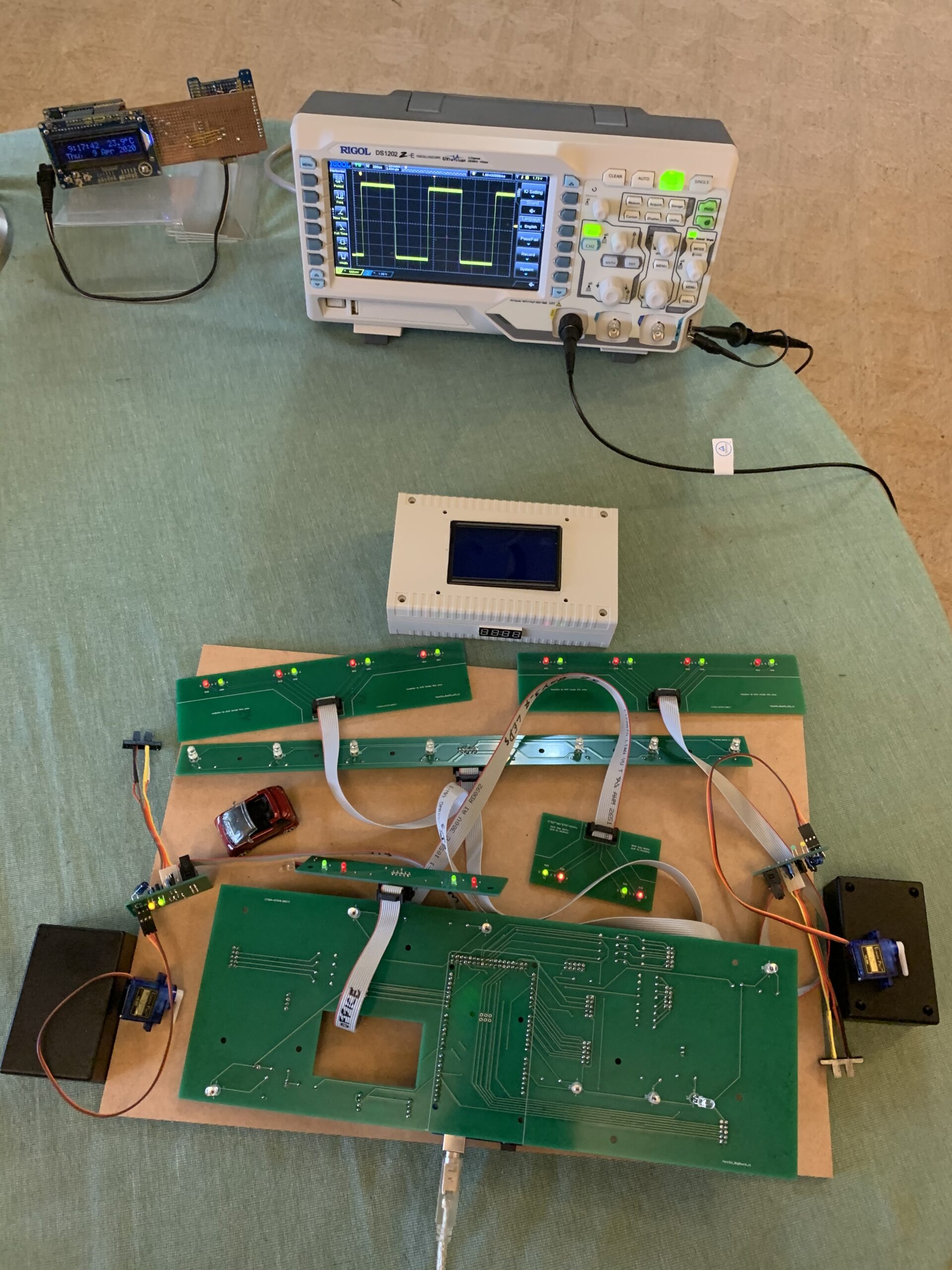
- Model car parking station (see video)
- Four way intersection with traffic lights to fit LEGO
- USB powered thermometer which outputs temperature in Morse code
- Alarm clock which provides time, day, date, temperature, relative humidity and atmospheric pressure
- Robot car which follows a magnet
The first two in the list required PCB (printed circuit board) design (by me) and manufacture (in China).
Sometimes I pose a small challenge to a high school student studying technology such as this Traffic Light and Beeper problem. This is a basic challenge for anyone wanting to build a microcomputer system which reacts reliably to user input (pushing a button to turn a beeper on or off) while the system runs a traffic light through a timed sequence. The video only poses the question but does not supply the answer. It’s an example of relatively simple coding problems which I set for my students. The aim is to find a solution which works.
This leads on to finding a way of timing which does not rely on the built-in Arduino Delay() function. As a solution is gradually refined, students learn about how the main loop runs continuously at very high speed and how this can be used to time sequences while keeping everything else working. For more advanced students, we get into debouncing switches and interrupts.